Women Windsor 10K

Get a new PeepSo license to receive updates - including new features, improvements and important fixes.
What's included
- PeepSo themes
- Photos, Media & Files
- Chat & Friends
- Groups & Pages
- Email Digest & User Limits
- Social Login & Invitations
- Mon-Fri business hours support
What's included
- Every PeepSo plugin and theme
- All future PeepSo plugins
- Early Access releases
- Priority support
What's included
- Every PeepSo plugin and theme
- All future PeepSo plugins
- Early Access releases
- Priority support
- Updates forever - pay once

Improve your tracking with our video tips: Subscribe to our YouTube channel
You’re almost there…Add this website to ManageWP or GoDaddy Pro dashboard to enable backups, uptime monitoring, website cleanup and a lot more! |
Learn more |
FluentSMTP needs to be configured for it to work.
There is a new PeepSo add-on available!
PeepSo released a new add-on! Check out the Installer to learn more.
You are running an outdated version of PeepSo!
It seems the PeepSo version on your website is already over a year old. You are missing out on important updates such as:
Important security fixesMaintenance and bug fixes
Exciting new features
Regular improvements
Old PeepSo versions might be incompatible with newer versions of WordPress and third party add-ons. We recommend to stay updated to keep your site at maximum possible levels of performance and security.
Do you have any questions? Something not working right? We are here to help - contact us!.
You can also check out our documentation and YouTube tutorials & join our community.
We can create Your App. For Your Community. With Your Branding. Your Way.
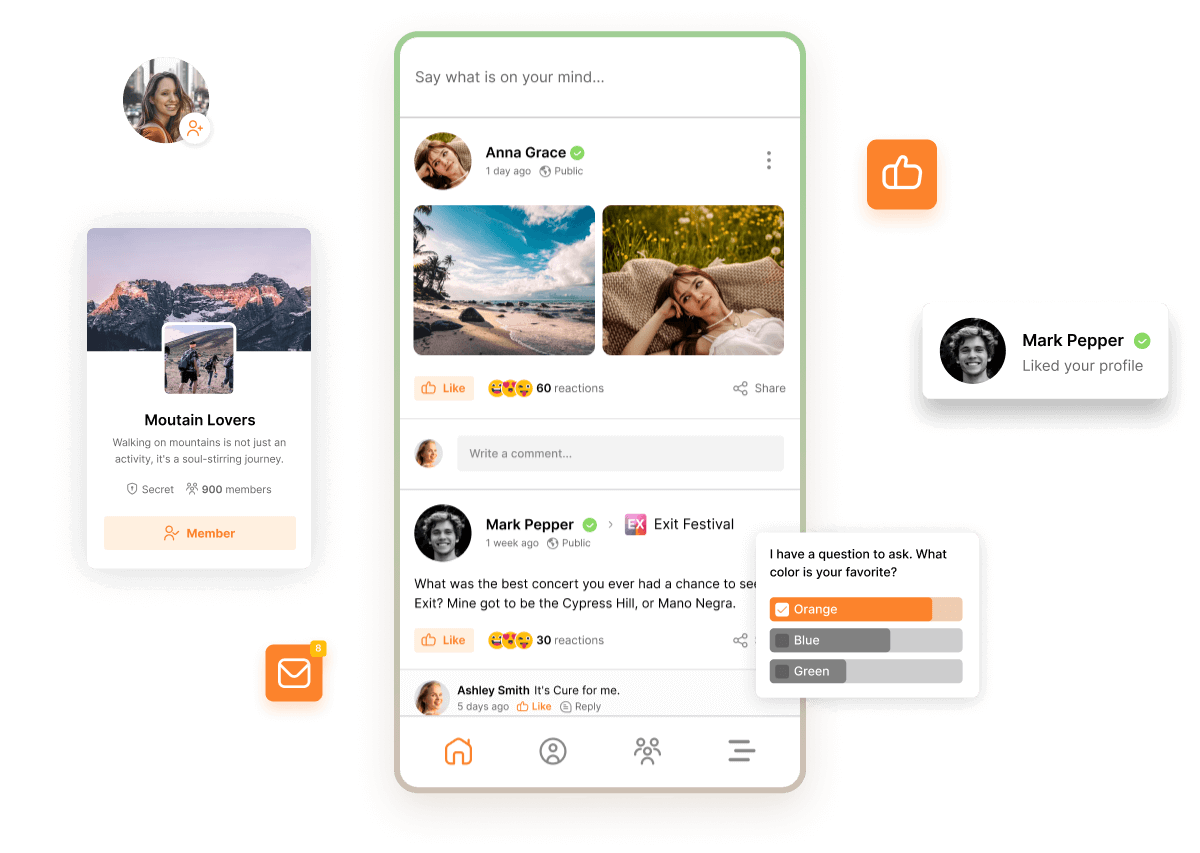 |
Boost engagement like never before with a custom mobile app designed exclusively for your community. Say goodbye to missed connections — push notifications keep your members instantly informed and involved. Transform your community experience and keep everyone coming back with ease! 📱 Make Your Community Mobile Today! Our goal is to put your entire community right at your fingertips, making it effortless for you and every member to stay connected and engaged. |
Core: Audio & Video (8.0.1.1), Friends (8.0.1.1)
WordPress 7.1
Welcome to WordPress 7.1
WordPress 7.1 makes styling and collaborating easier. Style how all blocks look across screen sizes and how the Button block responds to hover, focus, and active states, all without writing custom CSS. A streamlined media editor brings cropping, rotation, and metadata editing together in one workflow. Notes now support rich text and @mentions, and the Admin Bar travels with you into every editor, so the tools you rely on stay with you wherever you’re working.
Apply responsive styles
Style content your way, on every screen.
WordPress 7.1 takes a major step toward built-in responsive design. Set how a block looks at different screen sizes directly in the editor, for both Global Styles and individual blocks, all without writing custom CSS.


Admin Bar, now in every editor
Consistent navigation, from dashboard to editor.
The Admin Bar now stays with you across all editors, so you always know where you are. The Admin Bar also gets a small visual refresh.
A new way to crop
One dedicated workflow for editing your images.
A new media editor modal replaces the old inline cropping tool, bringing freeform and aspect-ratio cropping, flip, precise rotation, and metadata editing together in a single streamlined workflow. The familiar Crop button still gets you there, now opening a dedicated space to crop, rotate, and adjust images before publishing.


Inline notes with mentions and rich text
More ways to leave feedback.
Notes now support rich text and @mentions. Add bold, italic, code, and links so feedback reads clearly. Type “@” to pull up a list of collaborators to tag the right person directly, with built-in email notifications. Leave a note on a specific text selection instead of an entire block. Start more than one conversation on the same block. Collapse long notes to keep the margin tidy.
Improved media handling
Image compression, resizing, and thumbnail generation now happen in the browser, via a WebAssembly build of libvips, so large uploads won’t hit PHP memory limits or time out on shared hosts. This also frees up server CPU and memory, while producing smaller files for visitors. Media handling includes built-in support for AVIF, HEIC and HDR gain maps.
Accessibility
WordPress 7.1 continues to polish accessibility across WordPress Core and Gutenberg, advancing the goals to meet accessibility standards. In this release, high impact changes include the new accessible tooltips API, improved predictability for screen readers, and improved labelling in many places in the admin. The editor adds extensive improvements to navigation and interaction.
And much more
For a comprehensive overview of all the new features and enhancements in WordPress 7.1, please visit the feature-showcase website.

Learn more about WordPress 7.1
Learn WordPress is a free resource for new and experienced WordPress users. Learn is stocked with how-to videos on using various features in WordPress, interactive workshops for exploring topics in-depth, and lesson plans for diving deep into specific areas of WordPress.
WordPress 7.1 Release Notes
Read the WordPress 7.1 Release Notes for information on installation, enhancements, fixed issues, release contributors, learning resources, and the list of file changes.
WordPress 7.1 Field Guide
Explore the WordPress 7.1 Field Guide. Learn about the changes in this release with detailed developer notes to help you build with WordPress.